




If you want to add an extra layer of security to your account, you can use two-factor authentication. This involves entering a special code from an authentication app (e.g., Google Authenticator) when logging into GTMedia.
Download Google Authenticator: [link]
Download Duo: [link]
How to Do It?
- Log in to your account.
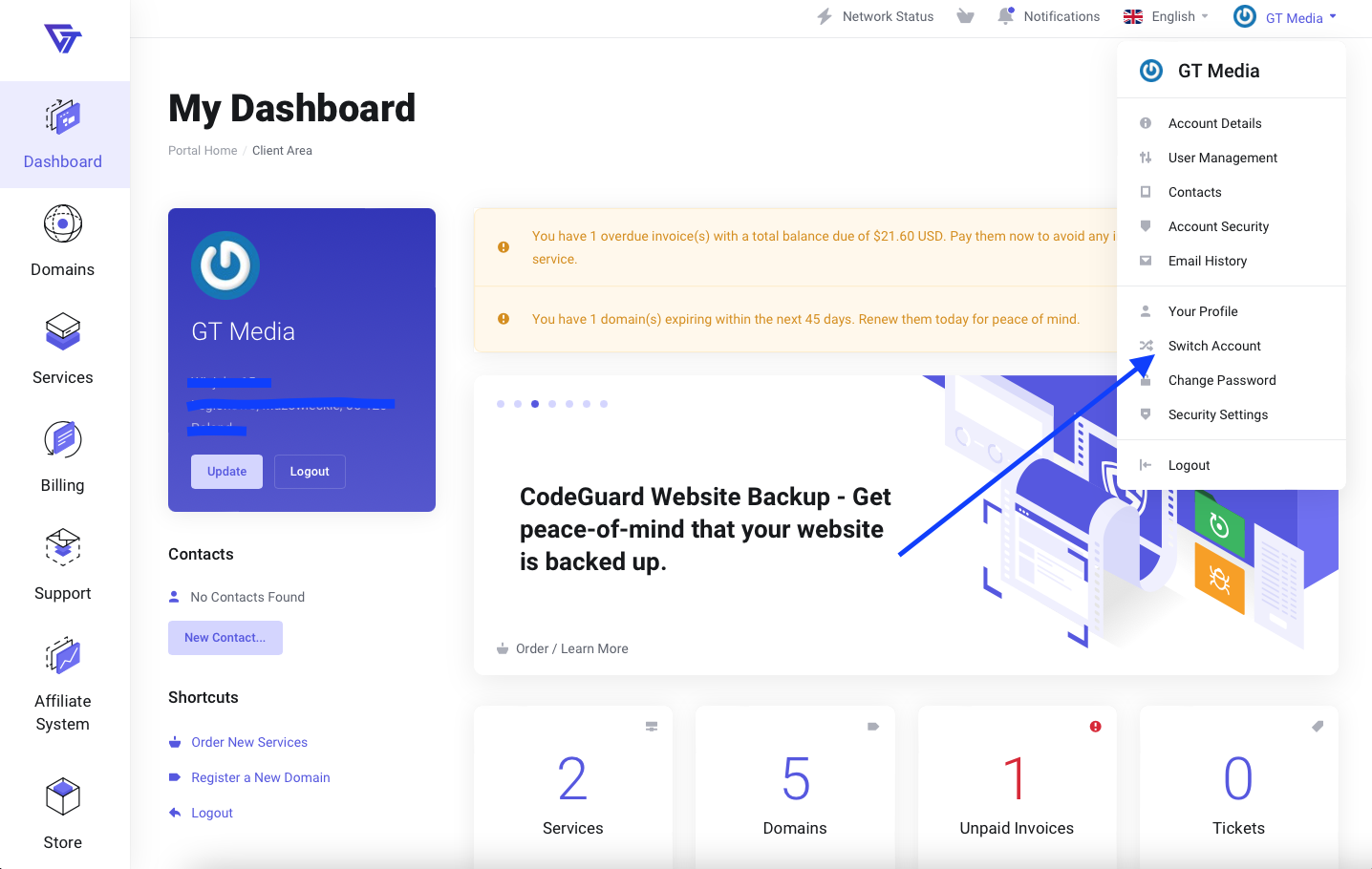
- Click on your profile in the top right corner.
- Go to "Account Security".
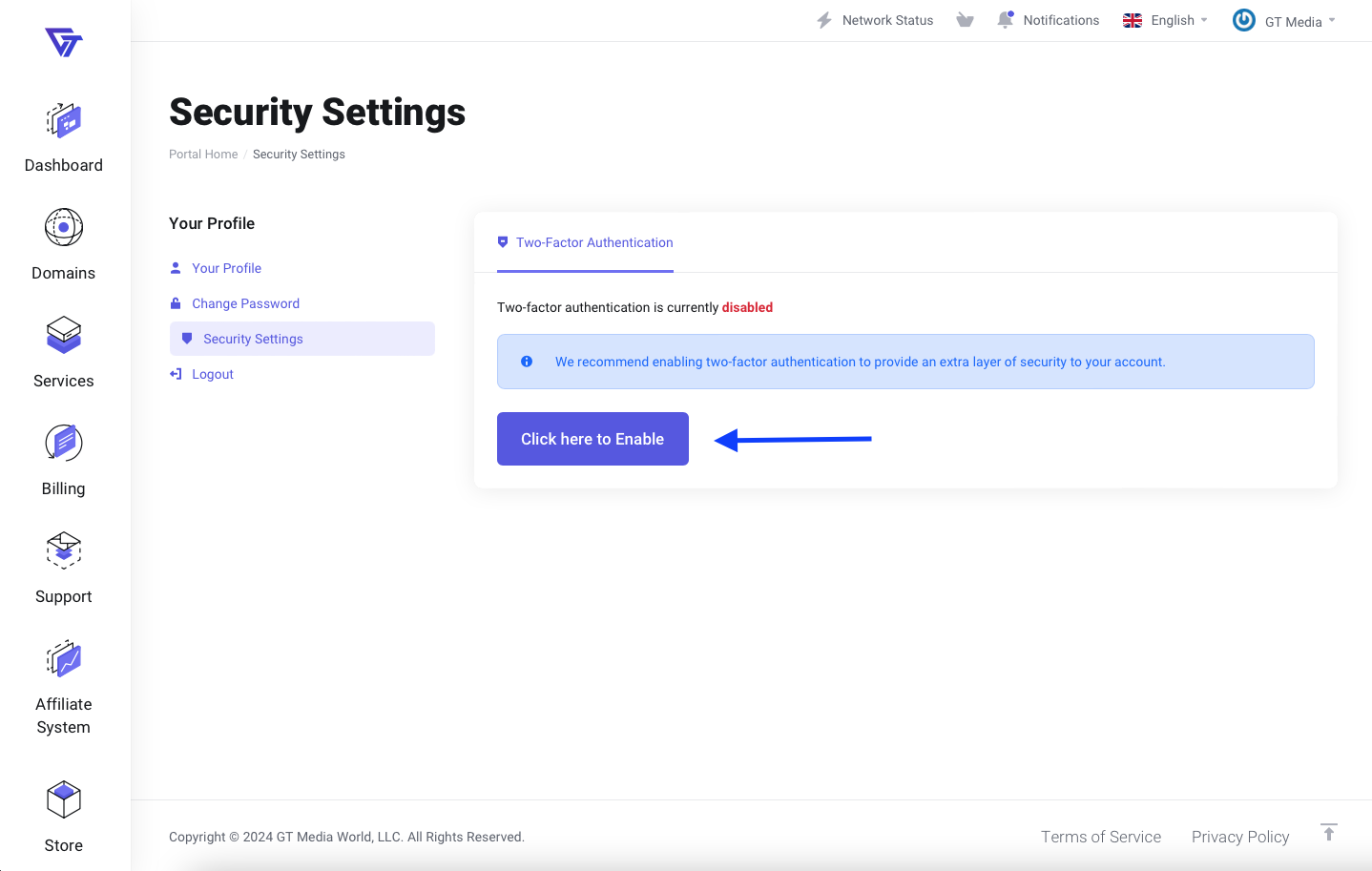
- Use the button "Click here to enable".
- Proceed by clicking "Start".
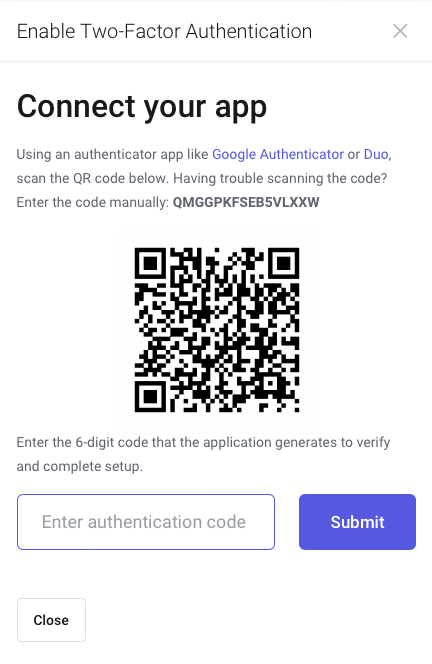
- Download an authentication app, such as Google Authenticator, on your phone, and scan the QR code displayed on the screen or enter the code manually.
- Enter the authentication code from the app on your phone and confirm by clicking the "Submit" button.